
Completion requirements
In this section, we will learn how to prepare your VCE results to import into SPA.
Step 1
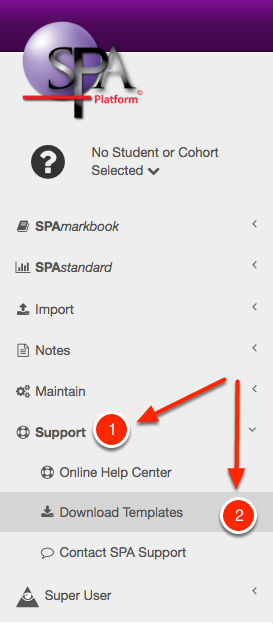
Download the VCE template from the Templates section inside SPA.

Step 2
Launch report 17 from the VCAA VCE website.
Step 3
Simply copy and paste the students' results subject by subject into the template and fill in the CASES ID Column with your students' school ID number.
Step 4
Save the file.
Last modified: Thursday, 4 August 2022, 11:20 AM