
Completion requirements
In this section, we will learn how to export our Early Years Numeracy data for use in SPAstandard.
Step 1
Download the Early Years Numeracy (MAI) Catholic Template.

Step 2
Open the Template:
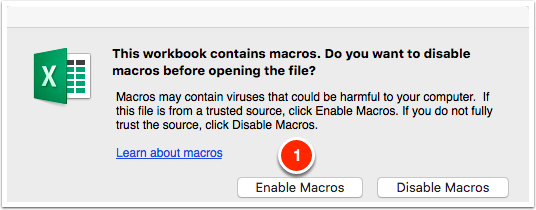
Open the downloaded template, making sure to click "Enable Macros" when opening the file.
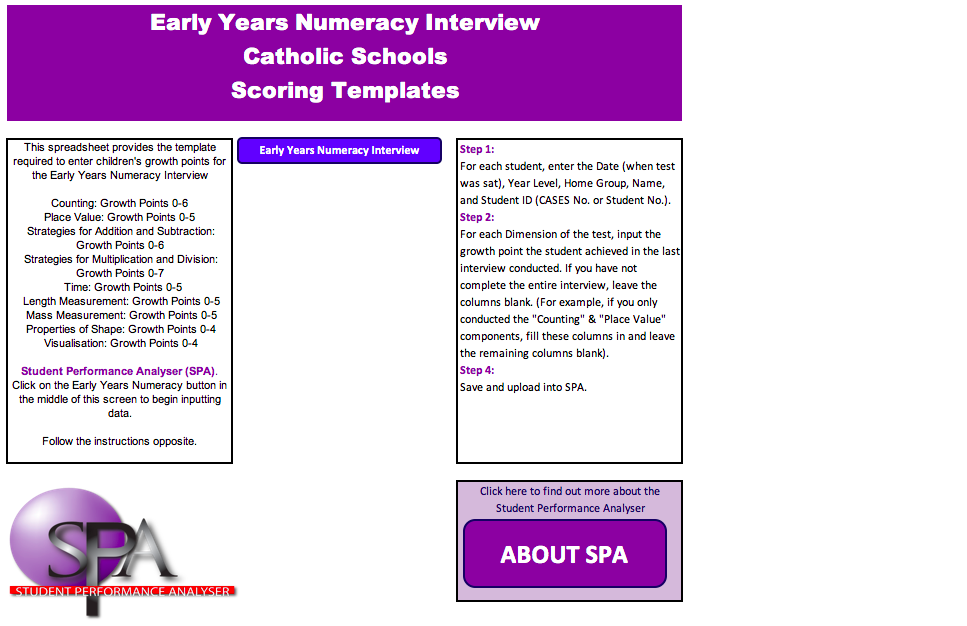
Once opened it should look like this:
Step 3
Click on the Early Years Numeracy Interview button.

Step 4
Fill or paste in all the information in columns A-F. Next, input scores into the data columns G-O. Only input scores where applicable. If the student has not completed all components of the test, it's okay to leave some columns blank.
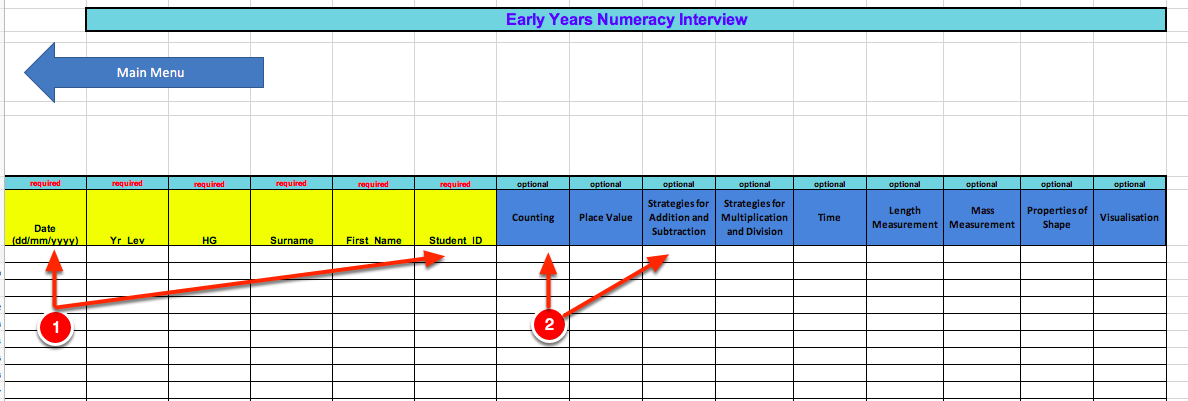
For each student, enter the:
- Date (e.g. 31/05/2018)
- Year Level
- Home Group
- Surname
- First Name
- Student ID
- Scores for the components of the test the student has engaged in.
Step 5
Save the file:
Once you have entered all the results into the template, you are now ready to save the file to your computer.
Step 6
Last modified: Thursday, 4 August 2022, 11:20 AM