
Completion requirements
In this section, we will learn how to export our Maths Online data for use in SPAstandard.
Step 1
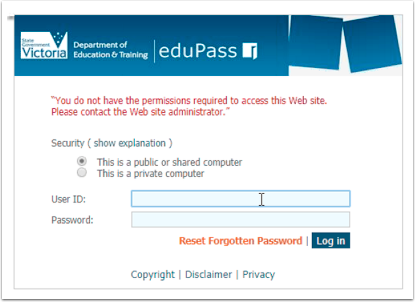
Log in to the Insight Platform.
Step 2
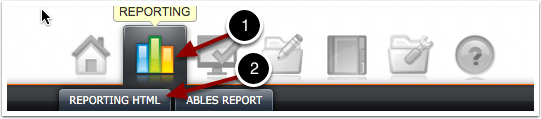
Click on Reporting, then Reporting HTML.
Step 3
Select All Test Types.
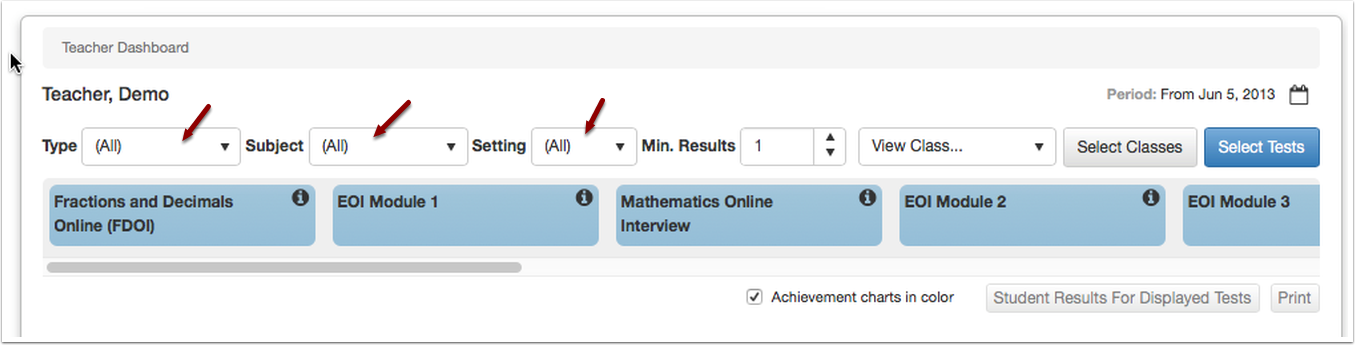
Make sure you have (All) Selected for "Type" & "Subject" & "Setting".
Step 4
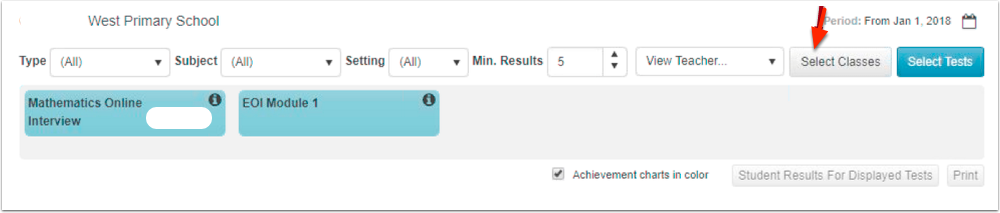
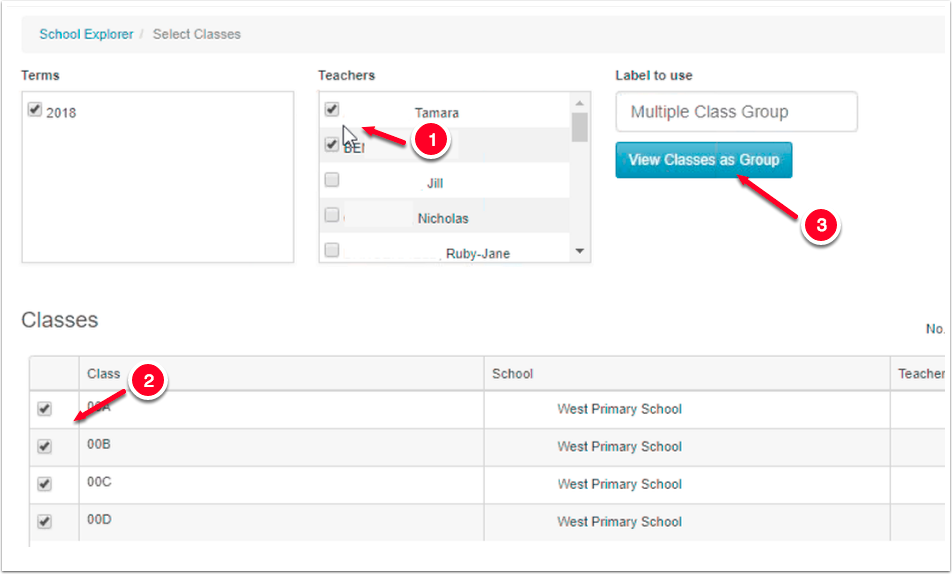
Select Class.
Step 5
Select the Class you would like to export data for. You can export data one class at a time or multiple classes at a time.
If possible, we suggest doing all classes in one year level at a time.
Step 6
Select the Class Profile button under Mathematics Online Interview.
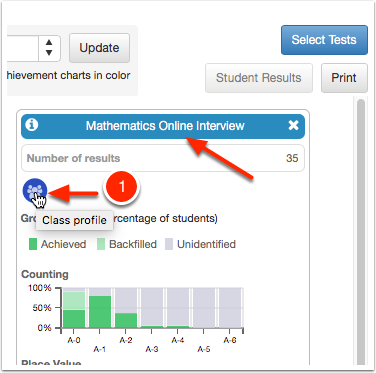
Make sure you're selecting the Class Profile under the "Mathematics Online Interview" section and not another test type.
Step 7
Export Results as CSV:
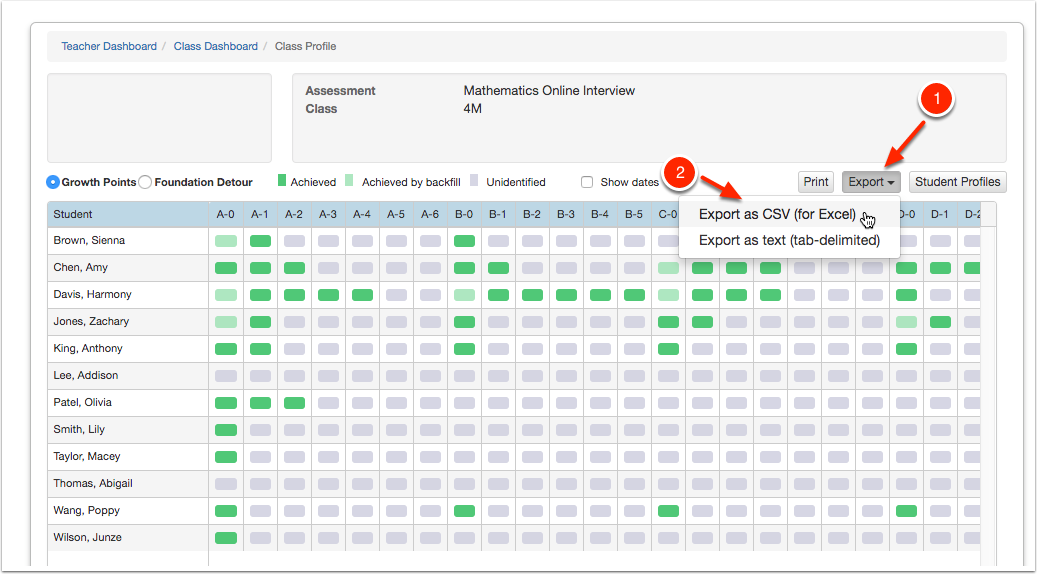
1) Select Export
2) Select "Export as CSV (for Excel)
The files will then be downloaded to your computer.
Step 8
Repeat Steps 3-6 for all the other classes/year levels for which you would like to export data.
Step 9
Download the Early Years Numeracy (MOI Insight) template.

Step 10
Open the template:
Open the downloaded template, making sure to click "Enable Macros" when opening the file.
Once opened it should look like this:

Step 11
Open the Insight Platform export files you have just downloaded from the Insight Platform and copy and paste the student details/results into cell D5 of our template.

Step 12
Next, fill out all the information in columns A-C:
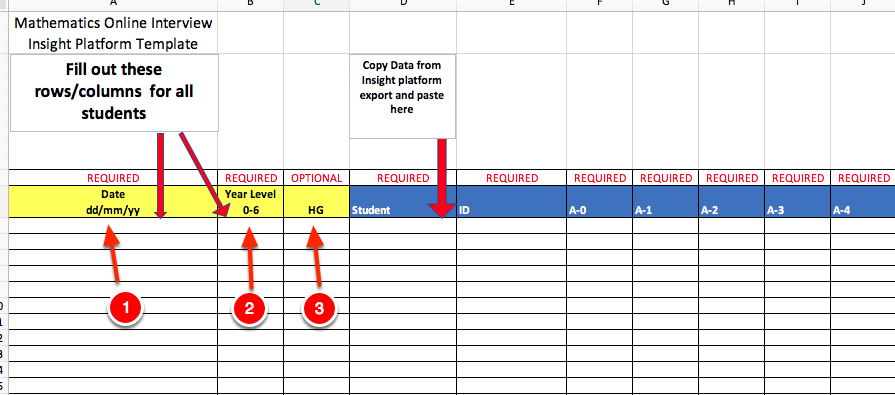
For each student, enter the:
- Date (e.g. 31/05/18)
- Year Level
- Home Group (optional)
Step 13
Save the file:
Once you have entered all the results into the template you are now ready to save the file to your computer.
Last modified: Friday, 16 February 2024, 1:23 PM