
Completion requirements
In this section we will go through how to export your DIBELS data from Amplify.
Step 1:- Log in to the Amplify platform.
Once Logged you you will be at the home screen

Step 2:- Click on Reports

Step 3:- Select Administrator Reports
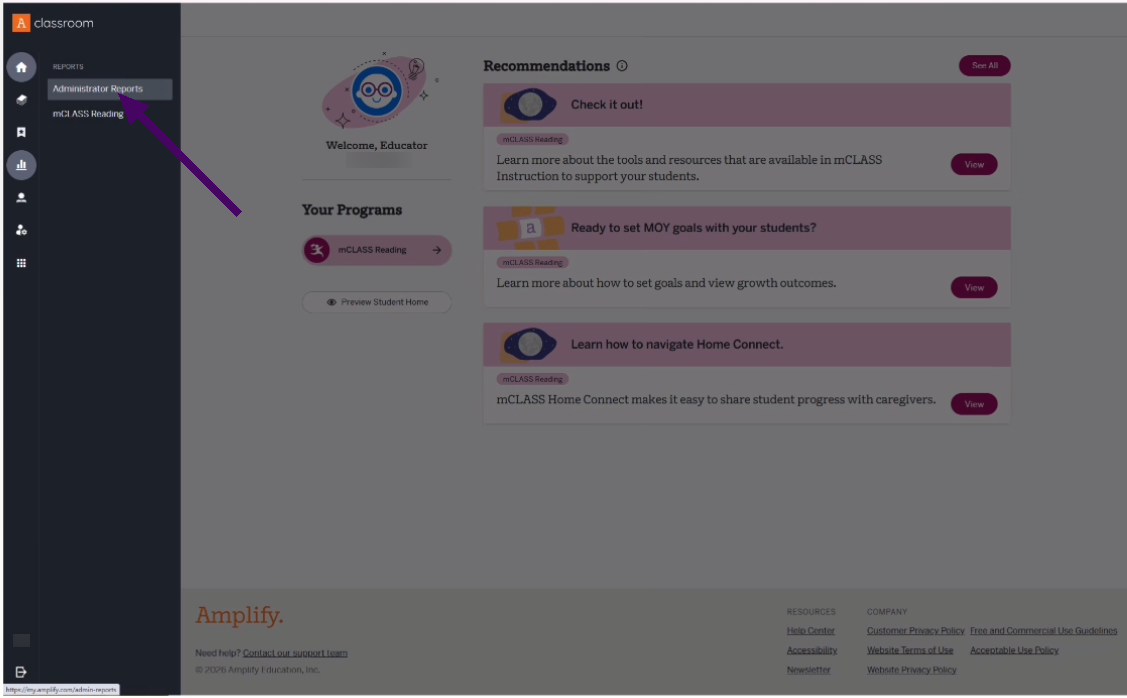
Step 4:- Choose mCLASS Reading
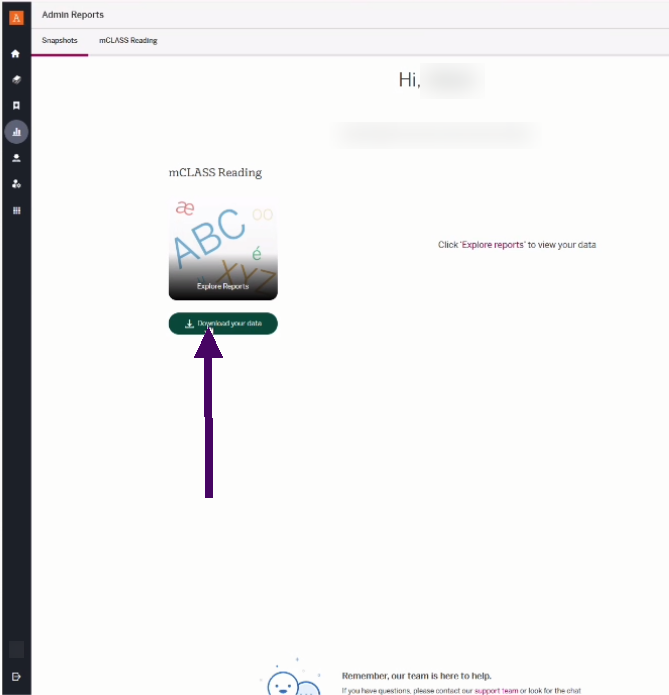
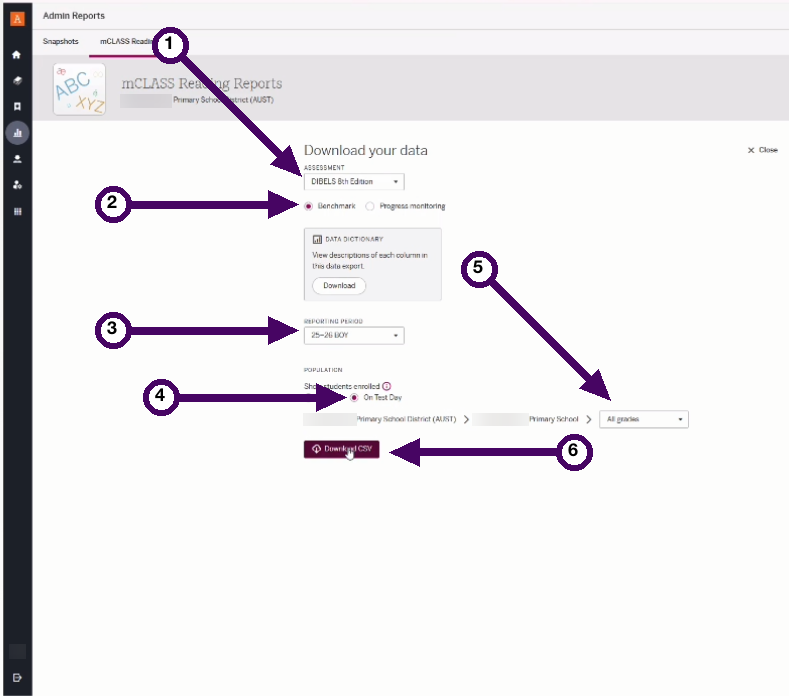
Step 5:- Select Export options and Export
- DIBELS 8th Edition
- Benchmarks
- Reporting Period
- On Test Day
- All Grades
- Download CSV
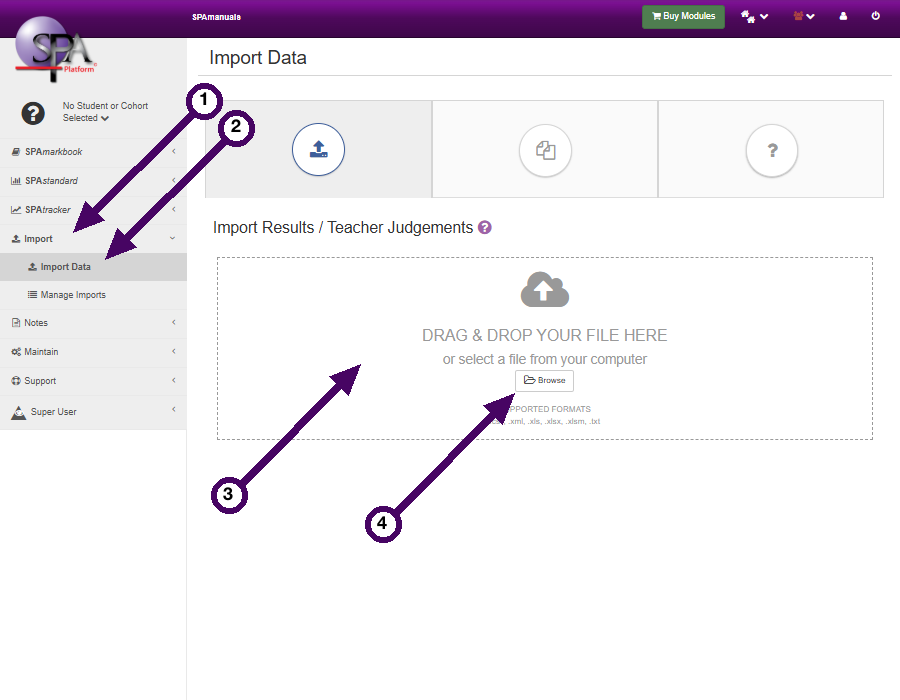
Step 6:- Upload to the SPAplatform
- Import
- Import Data
- Drag your file onto the Drag & Drop box
or - Click Browse
Your data should now be ready to view on the SPAplatform.
Last modified: Wednesday, 11 March 2026, 12:17 PM