
Completion requirements
Step 1
Open Nforma and log in as an administrator.
Step 2
From the main menu, click on the nReports module.
Step 3
Next, choose Reports > Export Data.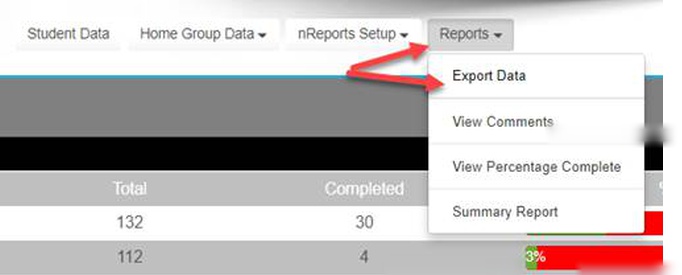
Step 4
Make your selections, choosing the year, semester, and selecting 'SPA Data'.
Step 5
Click Download to export the data and complete the process.
Step 6
Last modified: Thursday, 4 August 2022, 11:23 AM